- Capacity and deadlines for signing up and cancelling
- Waiting list and notification of a freed place
- Copying of recurring events
If arranging appointments with clients takes a lot of your time (in your office, tyre service, surgery and so on), or explaining the details of an upcoming event (lecture, workshop, first-aid course, interview with an employer, concert, exercise class), this feature is here exactly for you.
Booking an appointment
Don't waste time arranging appointments (tyre change, medical examination, haircut, signing a reservation contract, applying window film, oil change and so on). You simply set when you are available (for example 15/30/60-minute slots) and clients book the free slots you have set.
Do you offer several services, each requiring a different length of visit? Create a list of services clients can book online. Add the time needed for each one and clients will fill your free slots accordingly. Don't want to do a certain service on Mondays, for example? Fine, there will regularly be no free Monday slots for it (oil change, say). Do you want to combine free slots with the availability of your staff (Jakub changes tyres but cannot change the oil)? It is getting nicely tangled, but we will set up the booking logic exactly to your requirements.
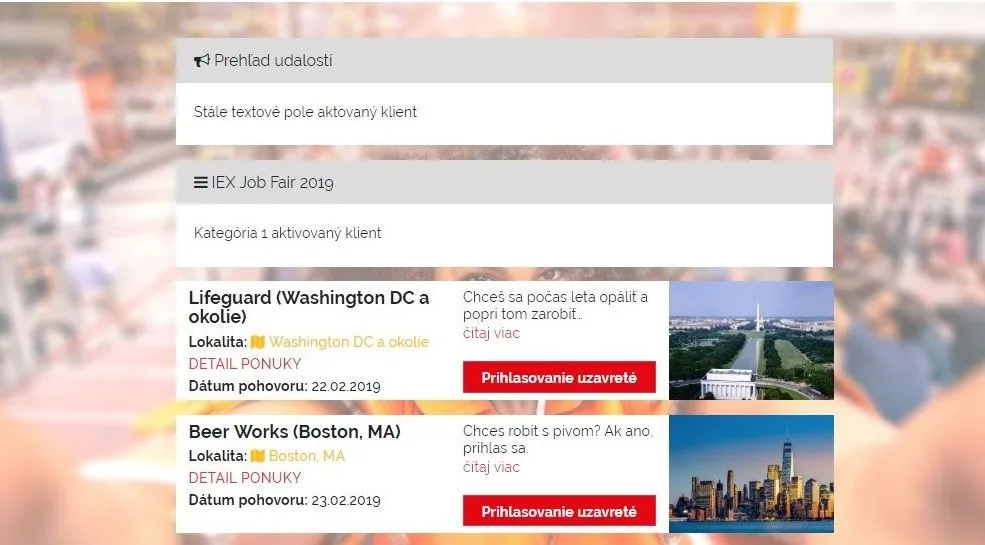
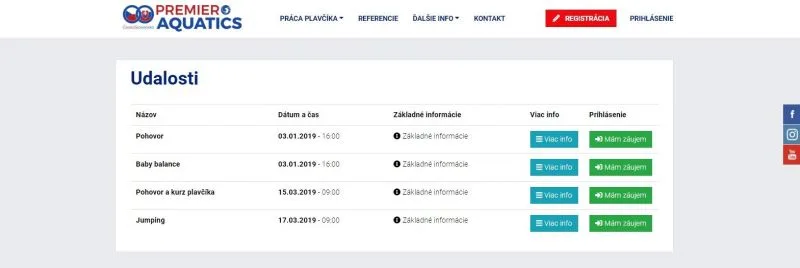
Signing up for an event
If you organise events (lectures, workshops, exercise classes, concerts, interviews, courses), you know how much time goes into signing clients up, explaining details, invoicing and so on. Make your life easier and save your time.
From your side, you create an event in the system and add the basic information (date and time, venue, fee, capacity, description). You set the dates between which clients can sign up (or restrict sign-up to a certain group of clients). Clients then sign up on their own for the date that suits them best and see all the details of the event.
If the event is paid, an invoice can be generated for the client after sign-up (payable by card, via PayPal or by ordinary bank transfer), the payment is recorded against the invoice automatically and the client receives a notification e-mail confirming the sign-up.
Event sign-up can be tailored exactly to your needs. For example, we can:
- add the option to buy credits (so that sign-up can also be paid with credits from the client's account),
- show a map of the venue,
- restrict sign-up to clients logged in to your system (if they have an account),
- create a public link where visitors see all the events you offer even when they are not logged in (instead of the "Sign up" button they see "I am interested" and are redirected to registration, or shown a static text with the next steps),
- limit sign-up by time and capacity,
- limit sign-up by specific attributes (for example only clients of programme XY, only clients with a child under 3, only clients older than XY, only men or women).
In short, your appointments and events will be online, adapted exactly to your needs, and you can devote yourself to your business instead of paperwork.
Using credits and entries
If clients use pre-paid credits or entries when attending an "event" (a lecture, exercise class, course), there are two ways of using them:
- they sign up for an event (yoga, exercise for children and so on) and the system automatically deducts one entry or a certain number of credits,
- the entry or credits are deducted on arrival (for example entry to a fitness centre).
The system automatically sends the client an e-mail or SMS warning when the credit falls below a level you set. You can also switch the low-credit notification off, and clients will not receive it.