- Automatic invoicing
- Automatic matching of payments
- Payment by card, bank transfer or PayPal
Automatic invoices
Every invoice is built on client data, the invoiced item and the invoiced amount. Our solution is ideal if you issue several invoices to the same client, but we can make your work easier with one-off clients as well.
Several invoices for the same client
It is very simple. Once you have the client's data, the system can generate an invoice fully automatically (for example at regular intervals or after a certain step on the client's side) or semi-automatically (for example by pressing a button "Invoice for XYZ", where the item, amount or due date are predefined and you can change them easily just before the invoice is issued).
One-off invoice
Do you have many clients who buy from you once and need an invoice? We set up the whole process so that clients fill in their details and choose a product (or you assign it to them). The invoice is then generated automatically and sent to the client by an automatic e-mail with the invoice attached. Payments are of course recorded against the invoice automatically.
Example from practice: for one of our current clients we built a system where staff could generate an invoice for a registered client with a single click, and a PDF contract ready for signature was pre-filled at the same time. We cut the paperwork of issuing a contract and an invoice from about 3 minutes to 5 seconds. Payments were, of course, matched to invoices automatically. How is that possible?
Automatic payments
Do you start every morning by checking payments on your bank account? Or do clients call to ask whether their payment has arrived, because they cannot check it online? Put an end to that.
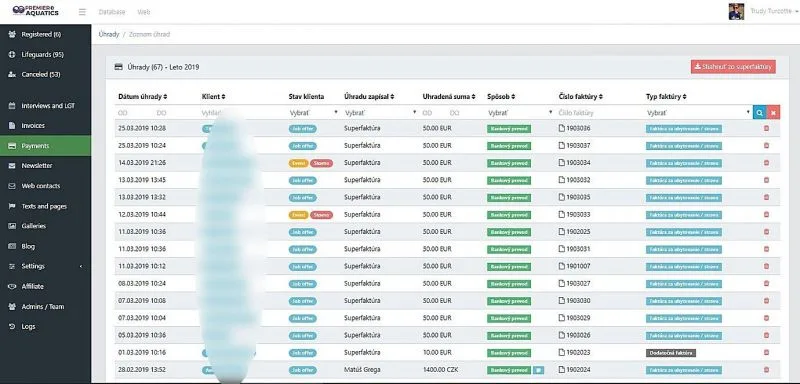
Almost every bank offers e-mail notifications (b-mail). The bank will send a notification about every movement to your system 24 hours a day, 7 days a week. If the client enters the correct variable symbol or invoice number, the payment is recorded against the invoice automatically. What if the client enters a wrong variable symbol, or none at all? We are sorry, but you will have to record such a payment in your online system by hand. Even this we have made as simple and fast as possible (no opening a program and clicking your way to the invoice: two clicks and the payment is recorded manually).
The good news is that more than 98% of our existing clients' customers enter the variable symbol correctly. That is what we call saving time. And time is money.
The payment from the client's point of view
If you want to let the client know that the payment has been received, two options are used most often:
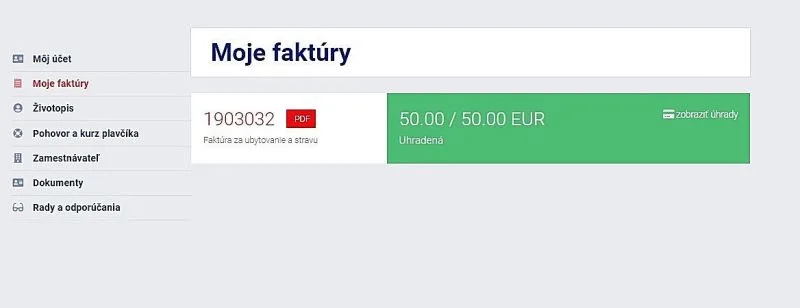
A) the client sees the payment in their account (if the client has their own account in your system, we won't send an unnecessary e-mail notification; they can check the invoice payment in their account at any time),
B) the client receives an e-mail notification about every payment. This suits clients without their own account: once the payment is recorded, your system sends an e-mail notification about the payment, or warns the client that the invoice has not been paid in full.
Reminders of unpaid invoices
Is it common for your clients not to pay invoices on time or in the right amount? Make your work easier and improve your clients' payment discipline. If an invoice is not paid by its due date, the system can send the client an automatic reminder e-mail (it is up to you whether you use this feature). Such e-mails naturally address the client by name, attach the PDF invoice and list the key payment details (account number, variable symbol, due date, amount) in the text.
Would you like the system to evaluate the average speed of invoice payment, to notify you about overdue invoices, or to notify the employee responsible for the client? We are probably repeating ourselves, but with us everything is possible.
Secure online payments
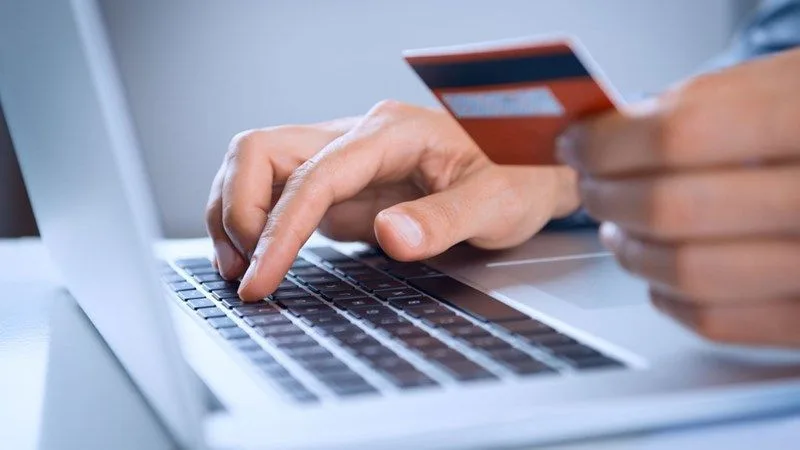
Your new system lets clients pay for your services or products online by card (you can still offer a discounted payment by bank transfer if that suits you better). Why it pays to accept online payments:
- a convenient and secure payment for your guests,
- no extra communication with the client (payment details, payment confirmation and so on) and the payment is recorded to your account automatically,
- low transaction fees (only 1% of the amount paid) for card payments,
- the money is credited to your bank account immediately,
- a lower rate of cancelled services and bookings.
With online payments we can of course also let clients pay by standard bank transfer. What is in it for you? You avoid the card payment fee of 1% of the transaction amount. The downside is that the money reaches your account a few days later and the cancellation rate rises slightly (between the purchase and the payment the client can simply change their mind).
If you want to offer payment by standard bank transfer, your system will automatically generate proforma invoices and invoices for clients and will record these bank payments automatically once they are credited to your account. How does it work?
- The client buys services or products on your website,
- the system generates a proforma invoice and sends it by e-mail,
- the client pays the proforma invoice; once the payment is credited to your account, the system matches it to the proforma invoice and, if it is paid in full, generates the final invoice and can send the client a thank-you e-mail.