
- An online client account that works on mobile too
- Connections to external systems such as Booking or Amadeus
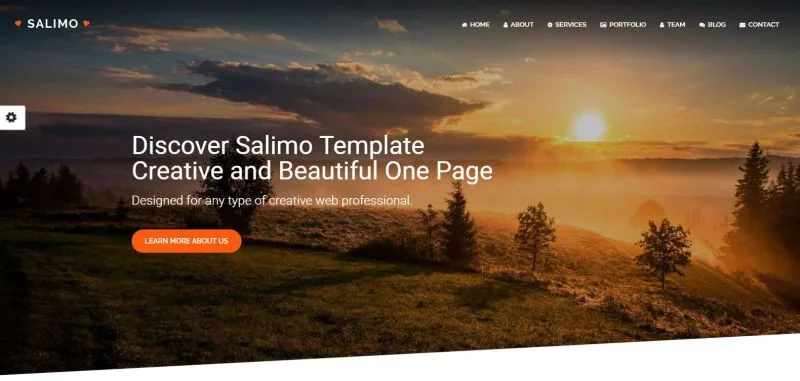
- A modern presentation website to go with the system
Responsive websites
Is it possible to have a beautiful website that also looks great on mobile devices without spending thousands of euros? It is, and we can take care of this for you as well.
A) A website built from a template:
There are thousands of templates on which your website can be built (the "frontend" in technical terms, that is, what the visitor sees). Preparing a website from a template is the cheapest and fastest solution, but you have to compromise (we can of course change anything, but if nothing of the original template remains, the main advantage of a template, the favourable price, is lost). The price of such a solution ranges from 800 to 1200 euros (depending on how many changes you want to make to the chosen template).
B) A website with custom graphic design:
Do you know exactly what you want and have not found a similar template? Or do you want your website to be unique and care about every single detail? Fine: for about 1500 to 2500 euros we can build you a graphically unique website (frontend) made entirely to measure. The final price of a unique design depends mainly on how precisely you know what you want (the most expensive design brief begins with the words "I just want the website to look nice").
Your new website naturally comes with a "backend" as well, an administration interface where you change texts, images, names of subpages and so on. You can change practically everything, without our help.
External connections via API
We can connect your new system to any external system that offers an API. Such a connection is standard for large booking portals (Booking, Amadeus, Galileo, RentalCars and others), insurance companies (for example Union), airlines and travel agencies.
If, for example, you work with the insurer Union and offer its products to your clients (travel insurance, cancellation insurance and others), you can issue a policy with one click directly from your system, without logging in to Union's system.
If you own a hotel or guest house, then when a stay is bought in your booking system, your system sends this information to Booking as well and occupies the room there too. You and your staff no longer have to adjust the number of free rooms by hand, and overbooking does not happen.
API connections make sense when you need to eliminate the effort and errors of entering client data twice. We do not recommend them (mainly because they take time to implement) if they would save you only a minimum of time. We always go through costs versus benefits with you and recommend whether such a solution makes sense for you.
Automatic calculations
Do you need to prepare a quote for a client? The client fills in all the necessary data and the system generates the calculation for you. Calculations can also be done in two steps (the client fills in the data, you check and confirm it) if your clients are likely to make mistakes, or if you need to assess the calculation individually (by workload, project complexity, how attractive the job is and so on).
Example from practice: we built a system that automatically fills clients' data into American tax forms (1040 NR-EZ and form VA 763). The system also does the basic arithmetic and calculates the client's tax base and the tax due (or refund). If the client agrees with the calculation and decides to use the service, they move on to the next step (they create an account, confirm the contract electronically while the system records the IP address and timestamp, choose the type of service, and finally the system generates an invoice; after paying it the client receives the completed PDF tax returns with the next steps). The whole process runs fully automatically.
Bulk mailings at the post office
If you send many items by post, our export for the electronic posting sheet (ePodací hárok) may help. How does it work? You create an online account on the Slovak Post website. In the Slovak Post system you create electronic posting sheets, where you enter the recipients' details in advance, and then you only bring your items to the post office.
To make this as easy as possible, you can export the data of any clients from your system to an Excel file, which you then upload to the Slovak Post system, so you don't waste time retyping addresses. More about the electronic posting sheet can be found here.
Besides fewer errors and time saved, Slovak Post rewards you with lower fees when you use the electronic posting sheet.

Ticketing system
We can also build this handy feature into your new system: ticketing. What is it? When something happens that your colleagues need to know about (a damaged company car, an important joint meeting with a client, an urgent service call-out), you create a "ticket", in other words a task. When creating the task you assign the people who will handle it and the clients (the client does not see the task and does not know about it; they are assigned only for easier identification), a priority (high, medium, low) and optionally a category (phone call, fault, interest in services).
As soon as the task is resolved, your employee closes it in the system. While the task is in progress, or if it is a more complex team task, all assigned employees can add comments. A notification of a new comment is also sent to the assigned employees by e-mail (or the author of the comment chooses who receives the e-mail notification).
Even trivial tasks can be handled this way ("Mr Novák called, call him back after your holiday") and you don't have to write the employee an e-mail. It is more efficient (the employee has to close the task, so you know it is done) and you have a perfect overview of your employees' work.
You can also make tasks visible to clients, so they have an overview of your services (service calls, training, consultations), of the tasks and of how quickly they were resolved.
Timer
Perhaps it often happens that a client tells you on the phone "I can't talk right now, try calling me in an hour". You get busy, another client arrives for a meeting and you simply forget the call "in an hour". That is why we can add a Timer to every client: you note the date and time when you can call, add a note, and at exactly that time the system sends you an e-mail reminding you of the call or another note.
You can use the Timer for anything. Make a note not to forget to send a client the contract in the evening, to check that an invoice has been paid in full, or to send a client a quote. The Timer has unlimited uses, and once you get used to it, it will be hard to imagine a better reminder.
We also add a filter for clients with an active timer to your client database, so your work is even simpler and more efficient.